Interested in becoming a sleep consultant?

Jayne Havens is a certified sleep consultant and the founder of Snooze Fest by Jayne Havens and Center for Pediatric Sleep Management. As a leader in the industry, Jayne advocates for healthy sleep hygiene for children of all ages.
Jayne launched her comprehensive sleep consultant certification course so she could train and mentor others to work in this emerging industry.

Meet Jayne Havens
Ready to Start?
Become a Certified Pediatric Sleep Consultant
Turn your passion for helping families into a flexible career you can build from home.
Free Guide
A closer look into what sleep consultants do, and how this career could fit into your life.
How to Stop Wasting Time in Canva with Brenda Cadman
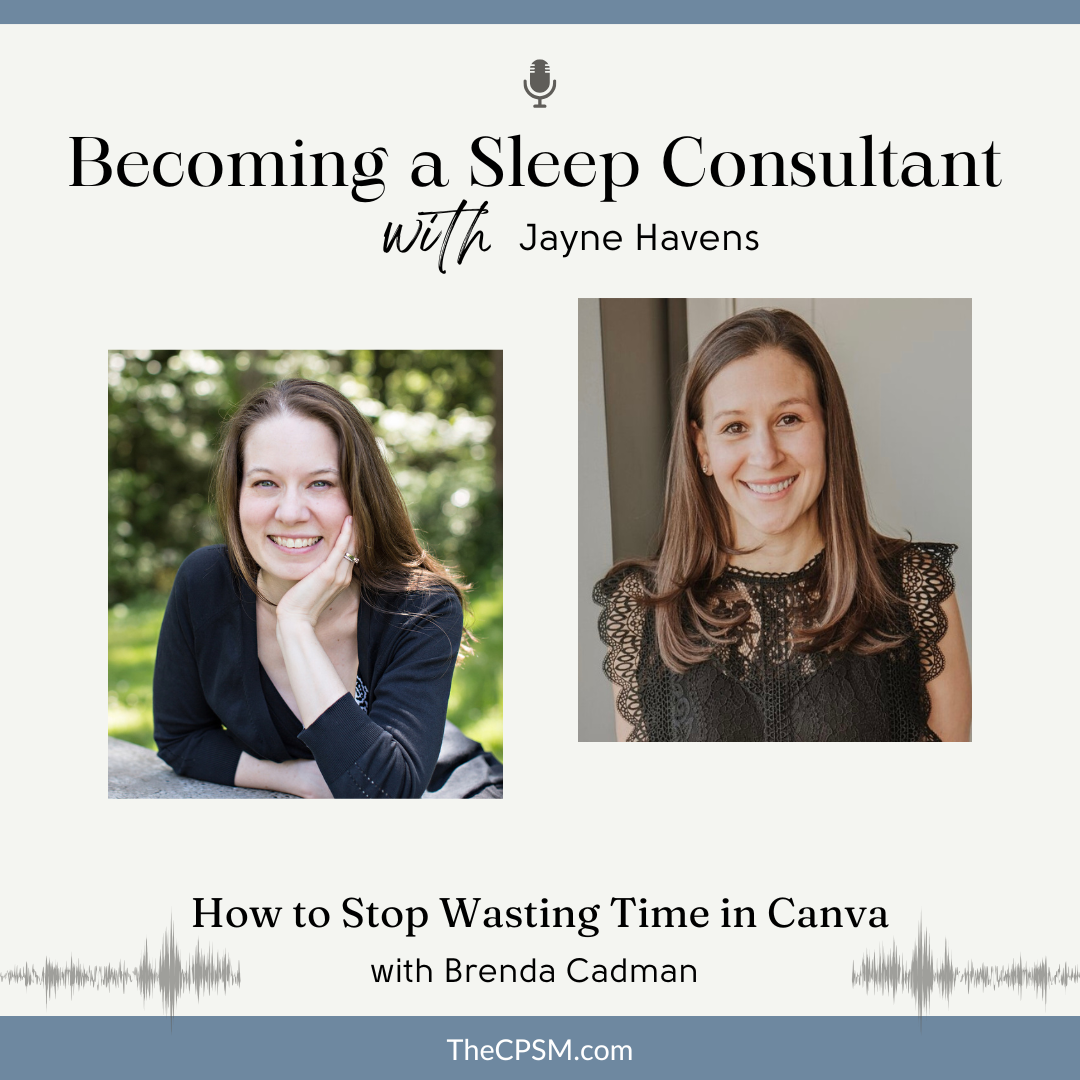
How to Stop Wasting Time in Canva
with Brenda Cadman
This week on the Becoming a sleep Consultant podcast, I’m joined by Canva Verified Expert Brenda Cadman for a conversation that every sleep consultant who uses Canva needs to hear.
If you’ve ever spent way too much time looking for a file, recreated something because you couldn’t find the original, or wondered if there was a better way to keep your Canva organized, this episode is for you.
We discussed:
- Simple ways to organize your files without overcomplicating your systems.
- Whether Canva Pro is worth the investment.
- Our thoughts on Canva’s AI features and where AI is actually helpful (and where it isn’t).
- Small changes that will save you time every time you open Canva. One of my biggest takeaways from this conversation was that your Canva organization system doesn’t have to look like anyone else’s. The best system is the one that works for you and your business.
Links:
Website: Brenda Cadman
YouTube: @BrendaCadman
Try Canva Pro for Free: Free Canva Pro
Organization Roadmap: The Canva Organization Roadmap
Clean Up My Canva: Clean Up My Canva
If you would like to learn more about becoming a Sleep Consultant, please join our Facebook Group: Becoming A Sleep Consultant
CPSM Website: Center for Pediatric Sleep Management
Book a free discovery call to learn how you can become a Certified Sleep Consultant here.
Transcript:
Intro: Welcome to Becoming a Sleep Consultant! I’m your host Jayne Havens, a certified sleep consultant and founder of both Snooze Fest by Jayne Havens and Center for Pediatric Sleep Management.
On this podcast, I’ll be discussing the business side of sleep consulting. You’ll have an insider’s view on launching, growing, and even scaling a sleep consulting business. This is not a podcast about sleep training. This is a podcast about business building and entrepreneurship.
Jayne Havens: Brenda, welcome back to the Becoming a Sleep Consultant Podcast. I’m so glad you’re here today.
Brenda Cadman: Oh, I’m really happy to be here. It’s been a while since we last chatted.
Jayne Havens: Tell everyone a little bit about yourself and what you do.
Brenda Cadman: I am a Canva Verified Expert. I’m one of about 43 in the world right now. I’m one of only two in Canada. My specialty is teaching business owners how to use Canva more effectively and efficiently so that you don’t spend all of your time creating content. You actually get in there, you get done what you need to get done, and then you get back to the more important stuff in your life and your business.
Jayne Havens: How did you become a Canva person? Share your story, if you’re willing.
Brenda Cadman: So I actually ran a website development company for 20 plus years. And while I was still running that company, I was looking at building out a course. And that course was going to be about something to do with creating a more effective website.
I joined a program to try to do that. And the conversations I started having, I realized nobody was wanting to talk about how to make their website more secure or how to make it more usable. They were all asking me how I was creating my slides and PDFs and things that I was designing. I explained it was Canva, and I showed them a little bit how to do things. One demo training video turned into a whole robust library of Canva videos.
Over time, Canva noticed the content that I was creating. I became a Canva Certified Creative, and then when they launched this Verified Experts program—which I’m trying to remember when that was, it was three years ago, four years ago, something like that—I was one of the first 25 that they accepted into that program. So I retired my website development business in 2022, and I am all Canva all the time now.
Jayne Havens: I think a lot of people hear about how we should organize our Canva accounts and then immediately think how that sounds really nice, but I’m busy with work. I have clients to serve. Why should we, small business owners—let’s say specifically sleep consultants—care about what our Canva accounts look like?
Brenda Cadman: I mean, the reality is that if you currently are in there, it feels easy to use. You can quickly find what you’re looking for. You’re not recreating content because you’re able to find it the first time that you need it. If you’re not feeling any friction when you’re in your Canva account, then I’m not here to tell you you need to organize anything.
It’s not about having a pretty organized account. It’s about creating a workflow that’s easier for you so that you can actually get the stuff done in your business that will move the needle in your business and not be spending all of your time chasing down that version of an onboarding guide that you created six months ago that you want to repurpose. And you know, after 20 minutes, you’re like, “Oh my gosh, it would just be so much easier to recreate it at this point.”
So it’s important if you find that the way your Canva account is now is slowing you down and preventing you from being able to do things as quickly and as smoothly as you want it to. It really is about that experience and that goal. So I would say most people don’t open their Canva account and feel like, “Whew, I can find everything I’m looking for super-duper fast.” So I would say most people do need to do a little bit of a cleanup. But again, the kind of the degree to what you need to clean up is going to vary from person to person as well.
I’ve seen accounts that somebody’s fairly new to using it. They have a handful of designs. They just need a few folders. They need to do a little bit of maintenance and cleanup, and they’re good to go. And then I’ve been in other accounts where there’s literally two or three thousand images in the uploads folder, and they’ve reuploaded the same set of brand photos half a dozen times because they can’t find them any of the other times, and it just feels faster. So there’s a real range, but I think most people find themselves somewhere in that “this is not as easy as it could be” kind of area.
Jayne Havens: I really appreciate that answer because I spend a lot of time in Canva, and I don’t necessarily have what you would probably view as a super organized system. But one thing that I do that works really well for me is I’m just really intentional about labeling everything. So I don’t have folders or files with groupings of different things, but I know that every single picture that I upload into Canva—like, I have a lot of headshots because I use other people’s photos for my graphics—and I just really make sure that I spell people’s names correctly.
And, you know, if I have an image of my son when he was a baby, it’s like Sid infant photoshoot. It’s very purposeful, and when I’m going to look for things—like I often create a certificate for people who have completed my course—I’m not going to call it anything other than a certificate because that’s what it is. So I’m able to just search for things and find them really easily, and that works for me. But I know that other people need systems that work for them, and it’s not going to look the same for everybody.
If somebody were to come to you and say, “You know, my Canva feels like Hot Mess Express. I’m feeling really overwhelmed,” what would you tell them to do first?
Brenda Cadman: So I think the instinct for a lot of people is, “Well, I need to create some folders,” and that’s not where you should start. Because what will happen is you’ll be creating folders that you don’t need. You’ll be creating folders haphazardly without thought about what goes in what, and you’re just going to have a whole— number one, you’re going to have a whole list of folders that you’re not using anyways. But also, it’s one more thing to scroll.
Where I like to start people—and it feels like it can give you some momentum and a bit of an easy win because there is not a lot of complex lift to do it—is just to do a purge. It’s a matter of sitting down. If you want a smaller container to start with, you can just start with your uploads folder if you want to tackle your media first. Or if you want to do your designs, that’s great too.
But go through and kind of put them into one of three buckets: One is, “Oh, I definitely need to keep this.” Two is, “Oh, I have no idea when I would ever use that again,” or, “That’s old branding. I don’t need it.” That’s the stuff that can go into the trash, so that’s an easy decision. And then the third category is, “I might need it. I’m not sure. I’m not using it now. Maybe I want to refer to it later.” And that’s when creating one folder at this point—just something that you call “Archive”—and then put all of those into it.
You’re going to be able to pare down your content to just the stuff that you actually are referring to, and that’s the stuff we want to create a folder structure for. There’s no point creating a kind of virtual filing cabinet and filing garbage into it because it’s just clutter.
So that first pass through, it’s an easy decision. You’re not having to spend a lot of time decision-making. And I think it’s often a really easy way for people to get into kind of the flow of this and then feel good about it, feel lighter about what’s left to deal with, feels more manageable. And then if they want to continue on, go for it. If they don’t, at least they’ve taken a really good, healthy first step towards a better system.
Jayne Havens: Yeah, I think that’s great advice. Sometimes when I’m scrolling through my Canva, all of my graphics and PDFs that I’ve made years and years and years ago, nothing feels better than just deleting the things that are no longer needed. It’s like, “Why is it here? Get it out of here.” I really can appreciate that.
Brenda Cadman: Very freeing.
Jayne Havens: Yeah, so once you’ve purged all of the clutter and now it’s time maybe to organize, what does that look like for a small business owner that is really—I mean, think about sleep consultants. They’re usually just using Canva, I think. I mean, who knows? This is what I would use Canva for. Graphics for social media, maybe PDFs for maybe like a small little ebook or a flyer. It’s pretty simple stuff. What does a filing system look like? How are we organizing all of our content?
Brenda Cadman: Well, I think one of the other things you’re going to be doing when you’re doing that purge is you’re going to be noticing, “What am I creating? What am I keeping?” And you’re going to start to naturally notice some of those clusters of content. You will probably notice, okay, there’s a lot. There’s carousels for Instagram, or there’s reels that I’m creating, or there’s client onboarding packets that I’m creating guides and PDFs for.
Start making a note of what are the things that I’m creating, and then you’re going to want to create some top-level folders.
You talked about social media. Social media is probably— I often say one person’s folders is not necessarily a fit for somebody else. But one that tends to cross industries and across the board is social media. Because there’s going to be some level of social content for most people. Not everybody, but most people are probably going to have at least a few Instagram posts or LinkedIn posts or something. So creating that social media folder is a catch-all for everything related to social. That’s a good starting point.
You can build down into subfolders within that afterwards when you’re ready to, but at this point, just being able to make a top-level decision of, “That’s a social content post. In it goes.” And then maybe there’s another one for clients, or maybe it’s onboarding. It’s going to depend on what you’re creating and also how you would intuitively look for it.
You talked about the fact that you search. So you have to follow your instinct of, “How would I naturally, organically, quickly go retrieve a piece of content that I’ve created that I’m looking for?” And then follow that instinct because just because you would look for that in a folder that doesn’t make any sense to me—I’m not the person looking for it. There is no one-size-fits-all.
So creating what those top-level folders are for those big clusters of content, you’re going to end up still having some leftover bits that you’re not quite sure what to do with. We’re not going to worry about those in the first pass. But what are those big content chunks that you can get off of there that is going to make it a lot easier to see what’s left and figure out what those additional content pieces or folders might be?
Canva just rolled out in the past few weeks the ability to range select and to select all visible files. This is going to make this process a lot easier.
So if you have, for example, you’re in your uploads folder, you’re wanting to move a whole chunk of stock images that you’ve uploaded into a folder in your projects, you can now select one. You can then hold down Shift and select the last one and get them in one fell swoop, as opposed to having to click and drag and select them or click them individually the way you had to before. So there’s more tools available now to be able to get these big chunks into folders.
And don’t feel like you have to get the folder names perfect. You can change this. You will change this. It’s just the nature of any sort of business platform. Your use of it is going to change. So you’re just trying to take the first steps towards a system that’s going to make it easier to find what you’re looking for.
Jayne Havens: One thing that I have trouble with on Canva—and maybe you have thoughts on how we can make this less overwhelming for those of us who don’t consider ourselves to be design experts—is you find a template somewhere on Canva that you love. And then as you’re working in it, you realize, “Ah, it’s just not fitting for what I was trying to do. Do I start over and find a different template, or do I fix it somehow and make it better?” Do you have any thoughts on that or strategies for— I don’t know. Sometimes I get like 75% done and I’m like, “This is not working for me.” Then what?
Brenda Cadman: Yeah, it’s tricky, and sometimes there’s different reasons that it happened. Sometimes you’ve chosen something that you really liked the look of with the placeholder content that it had in it, and it’s just not a fit for the kind of content you’re creating. Maybe it was designed for really short content, and yours is really long, and then it’s just not going to work.
Another thing I see happen is people, again, will choose a template that they really love, but the branding on it was very different than their own branding. And when you start modifying it so that it feels customized and on-brand for you, you lose kind of the aesthetic that you were attracted to in the first place. So I do think it’s important that when you’re choosing templates to make sure that you’re choosing something that is consistent with your branding.
If you have really light, airy, white, pastel-y kind of colors in your brand, don’t go choose something that’s really dark and bold in the design because by the time you modify it to fit your own needs, it may look great, or it may look really different than what you were attracted to in the first place. And then you’re going to feel that disconnect.
Sometimes the reality is you get in and you start modifying it. You had a vision, and it’s just not coming together. You have to decide at that point, am I going to push through and just get this done? Because we do sometimes get really picky, and we forget that the goal is just to have it look nice and get the content out there so we can help people.
Or do you need to start over with something else that’s going to be a better fit? Or sometimes just to think, “You know what? I’m going to find somebody who knows how to do this, pay them for a few hours of their time so they can take care of this and bring me to the finish line so that I can get a move on and not get stuck here.” So it’s kind of whatever your comfort level is, and it does depend on pinpointing what the source of the problem was.
Jayne Havens: What do you think about the new AI integration in Canva? Is it working? It’s not working for me, but I’m wondering if I’m just not utilizing it properly. Are there ways to leverage that new technology in ways that are really helpful?
Brenda Cadman: I’m going to try to not get myself in trouble here.
Jayne Havens: Okay. Sorry. I didn’t give you a heads-up that I was going to be asking you about this.
Brenda Cadman: No, I mean, AI is something that everybody’s really interested in. The big shift at Canva Create was a repositioning by Canva of the platform from being a design platform with AI capabilities to an AI platform with design capabilities. And that is a real shift in how it’s looked at.
I am personally somebody who likes to use AI in an assistive capacity. I don’t personally tend to use it for generative capabilities. Where I have found my comfort zone in terms of where I consult and teach, really, is more on the fundamentals and the foundations outside of that piece. Because, regardless of whether you use AI or not, you’re going to have to organize your content. But I think it’s important to understand how to put your branding into it and make branding decisions about what something looks like regardless of what AI tells you to do.
I do think I know where Canva wants to go with the AI technology and how it’s intended to work and eventually should work. I do know that a lot of individual experiences may not be consistent with the sizzle reel that was presented at Canva Create. I think that’s a pretty typical experience.
Some of the features, I have used personally, and they’ve turned out really well but in specific contexts. But because there’s kind of an inconsistency in a lot of experiences, my personal approach has been, I’m not going to teach this until it’s a lot more locked in and bugs are fixed and so forth. Because there’s so much that’s changing. There’s a lot of other experts who love AI and love to teach AI, and I’m happy to leave it in their hands.
Jayne Havens: Yeah, I’m noticing that it’s not just in Canva. It’s in every single platform—
Brenda Cadman: It’s in everything.
Jayne Havens: —that I work within. You know, my email marketing platform, ActiveCampaign, has a whole AI component to it, and I’ve yet to figure out how to integrate it into my work in a way that is at all helpful. Because every time I ever try to use it, I’m like, “This is not at all what I was looking for.”
Brenda Cadman: It’s adding friction.
Jayne Havens: Exactly. It’s adding friction. I’m sort of looking for, not just with Canva, but with all of these platforms, to figure out the one tiny little way where I can use it to have it be helpful to me.
I’m not expecting— I don’t need Canva to create the graphic completely for me. But when I create my own graphic, to be able to say to Canva, like, “What’s weird about this? Why is this awkward? Make it better,” and like, poof, it’s better, that would be great. The same way that we write emails and then we put them into ChatGPT and say, “Polish this email for me,” and it does, to me, that’s really helpful.
Brenda Cadman: Yes, it’s an assistant.
Jayne Havens: I’m writing the email, and then I’m putting it through AI, and it’s just making it sound a little bit more professional. Great. I’ll take it. I would love for Canva or ActiveCampaign or any of these other platforms to sort of look at it from that angle or lens, where they’re just making our work better rather than trying to create from scratch.
Brenda Cadman: Exactly. Small workflow improvements. I think over time it will. It will be more capable of stepping in and helping you fill those gaps where you want them to be filled, as opposed to create a whole campaign.
I know those are the examples that they give—just a very simple prompt, and then it creates a whole campaign—and it’s just not working that way at this point. I believe it will at some point. But for now, I think it’s important to understand where it makes sense for each individual. And just because it has all these capabilities to not feel like you have to, I do wish the various platforms wouldn’t say, “We’re increasing your cost because we’re introducing all this stuff.” It’s like, “Well, I didn’t ask for that. I don’t want those additional capabilities.”
But the reality is that this is going to permeate more and more of our platforms. It doesn’t mean we have to use them, though. There are specific features I do use that are AI-driven in Canva. Background Remover is exceptional now. It used to be pretty good, but it is exceptional. I did a whole tutorial and post testing different kinds of images to see, “Okay, how can it handle these more complicated things in terms of removing it?” And it’s really good now.
I’ve used it for Style Match too, if I want one icon to be a similar style as another illustration. These little features can really help with my design, but I’m still leading the design charge on those particular pieces. I’m still deciding what I need in various places. It’s not telling me what it’s going to look like, and I think it’s still very good at that. Where it’s not great yet is coming up with something that really feels on-brand and consistent. If a designer handed this to me, I’d love it, but we’re not there yet.
Jayne Havens: Is there a tool or a command inside of Canva that maybe none of us know about that we would all find really helpful?
Brenda Cadman: It’s not a tool. It’s more of a view.
If you are going into your Projects area and you just go to “All Projects,” you’re going to see pretty much everything that you’ve created. It’s going to surface up tons of stuff. And just knowing to filter down to “Your Projects”—so on the left-hand side, if you don’t see a sidebar when you go into Projects, you can expand it at the top, and then it’s going to say “All Projects,” which is where it’s going to put you, and then there’s “Your Projects.”
If you click on that, all you’re going to see are your folders that you’ve created, and any items underneath that are what need to be put into folders. Because so many people don’t know what’s left to actually file. That little shift is going to make it feel much more manageable. Because otherwise, you’re going to see everything you’ve ever created, and it’s just going to be a big, overwhelming mess. At that point, most people are like, “I’m out. I’m not organizing this. I’ll just search and see if I can find it, or I’ll recreate it.”
So it’s not a tool, but it is a feature that I think a lot of people don’t realize because it’s a little bit hidden.
Jayne Havens: When I go into Canva, I’m probably scratching the surface on what I could be doing in there. I don’t know. It’s like, you don’t know what you don’t know, right?
This sounds obvious to me and obvious to you, but I bet some listeners don’t even realize that you can upload your brand colors and your fonts into Canva so that every single time you go to create a document or a graphic, you can pull from those brand colors. When I went to get my website redesigned, my web developer was like, “Do you want me to upload all of this into Canva for you so that you have all the colors?” And I’m like, “What?”
Brenda Cadman: Yeah. What? We can do that? You’re right. You’re right. It’s a feature that, you know, you forget the learning curve when you’ve been in a platform for a period of time, and the things that seem so obvious and part of your day-to-day workflow, you don’t realize are things to learn.
That Brand Kit, is a Pro feature specifically. It is one of the— I’d say it is the biggest reason that I advocate for upgrading to a paid plan so that you can have access to the Brand Kit feature. Because you’re right. You’re going to be able to put your logos in there, your colors, and not only specify your fonts, but if you use a particular font that’s not available in Canva’s free library, you’re going to be able to upload your own font so that there is that brand consistency across everything you’re creating—whether it’s social posts, onboarding packets, or your website. Because you want that experience to be really consistent. You don’t want it to feel disjointed and chaotic.
It’s funny, I’m now realizing I have to add something to my to-do list because I’ve launched this Canva by Industry hub of free resources on my website, where every industry that I cover is getting a “How to Use the Brand Kit for Your Particular Industry,” “How to Organize for Your Particular Industry,” and a couple other things like that. I don’t have sleep consultants in there yet, so that’s going to go on the next list to do.
But it’s walking through the specifics of how to think about using the Brand Kit for your particular industry because it’s such a tiny shift. But if you’re having to search for hex color values every single time, that is slowing you down. And I think it’s easy to say, “Well, it’s just going to take a couple extra minutes,” but that adds up. It adds up. It ends up taking a lot more time.
It’s more likely to lead to inconsistent content because a slightly different shade of blue on this, as opposed to another design. People notice that something doesn’t feel consistent. These are tiny little things you can set up once that are going to make your life so much easier going forward, and it’s just going to be a much more enjoyable experience.
Now, you said you’re just scratching the surface, and I think it’s important to remember, though, that that’s okay. Just because you have a Canva account with all of these capabilities, you don’t have to use everything that’s in it. If you are getting value out of it, if you are able to create the content that you need to create to support the marketing in your business, that’s fine. It doesn’t mean you have to use every magic tool in there. You don’t have to touch AI if you don’t want to. You don’t have to try different kinds of apps.
You can really focus on the foundations and the very basics of it and still get a lot of value out of it and take the pressure off of having to stay on top of all of it. Because you’re never going to. Because we can’t, and we do this for our jobs. So take the pressure off.
Jayne Havens: Do you have any Canva pet peeves? Either things that are frustrating to you about the platform or, you know, maybe it’s a completely different question and it’s like, what do you see people doing in their Canva that you’re just like, “Ugh, I can’t believe they’re doing that?”
Brenda Cadman: Yes to both. As far as the annoyances, for me, it is largely about things that would make organizing more effective and much easier. At one point, I did an entire document. I’m directly in touch with the Content Navigation team there. It’s just easier than them trying to pass my concerns on—I just talk to them directly.
So they have a big old long list of—some are really little asks, and some are very big asks. A lot of them have been crossed off since I provided that, which is wonderful. One of the biggest ones was the fact that you couldn’t range select. That was driving me nuts because it made it so much harder to be able to select big chunks of files in order to move them. And that literally just came out in the last few weeks. There was no fanfare. I just suddenly discovered it and realized, “Oh, okay, great. I’ll let people know.”
But there are still other little things like that. Things like, if you search by a keyword, I want to be able to select and move files from the search results. Which, honestly, I should go back and check and see if that one has slipped through yet, but I don’t think it has. So there are these little things. Mine are really focused on efficiencies, things that would make it easier to do, as opposed to any fancy design effects. I do wish that we could also have text that flows from one page onto the next. I know that’s a big request, and I have to imagine it’s in the roadmap at some point.
But as far as what other people are doing, it’s not annoyances so much as, I wish they knew that this didn’t have to be as frustrating for them. I wish they knew they could create subfolders in folders. I wish they knew that they could create folders in Uploads if that’s what they prefer. I wish they knew that you can star files so that you can find them more easily, or that you talked about the Brand Kit—that they could set that up, and it would be easier from the get-go.
There’s all these little basic features, and that’s why I tend to focus on those in my tutorials, as opposed to how to use AI to create effects. For me, it’s less about design, and it’s more about, “How do we use this better?”
Jayne Havens: What do you think is the tipping point where someone would benefit from being a paid Canva user versus on the free plan? I know that we talked about the Brand Kit being a major plus to paying for the service. I also think you get so many more images and so many more fonts, obviously, if you’re on the paid version. Are there other significant reasons to pay?
I’ve been paying for years. I find it to be very reasonably priced and worth the money just to eliminate the friction—friction of frustration—to not be able to get what I want, right?
Brenda Cadman: 100%, and I think that’s the main thing. There are workarounds that you could manage, but how much time do I want to spend doing the workaround as opposed to just paying for it? Yes, it has gotten more expensive over time, but it’s still one of the most affordable subscriptions that you’re going to find in terms of the value that you get out of it.
But I would say things like, you can’t download images with a transparent background if you don’t have Pro. There are certain file formats—I download SVGs sometimes out of Canva—you can’t do that unless you have Pro.
You talked about the more access to images. If I’m creating a presentation or social content or whatever it is, I use a lot of illustrations and icons. I don’t want to have to be searching through all the results to look for things that don’t have the crown icon on them. Usually, the results that are free are not the ones that I want to use, and I’d rather be able to just choose the best result, not the best free result.
The same goes for templates. You might find the perfect template in Canva, and it’s one of the premium ones. Because either it has premium elements in it, or it’s just something they’ve designated as a premium template. I think that, for the cost, I’m always reframing it of rather than, “How much money am I going to save by not upgrading?” it’s, “How much more money and time am I going to be able to make or get back by investing in this one thing?”
It’s the same philosophy I have to take to outsourcing stuff to my assistant. Could I do this myself? Yes, it’s going to take me a lot of time. There are better ways for me to spend my time.
I think if you are asking the question of, “Is there a better way to do this?” you probably should be upgrading.
Jayne Havens: Can you tell us a little bit about the services that you offer to business owners like us who could use some support or just knowledge and training on how to better use Canva inside of our businesses?
Brenda Cadman: I mean, honestly, I don’t have really any services right now. Most of my content is free content. I do have a course. I’ve got a couple more courses I’m working on. Canva is going to be rolling out a team organization capability. They’re beta testing for now, or beta testing next month. So I’ll have courses and things around that. I do have a Canva Organization course, but I also have a free Learn Canva in a Week kind of email series. There’s a free Canva Organization Roadmap, which I just revamped and relaunched today, actually.
So if you are looking to use Canva more efficiently, I probably have free content that’s going to help you do that. And then if you are looking for a bit more of a helping hand on the organization piece, there is a course that can actually walk you through that in a little more detail.
Jayne Havens: Okay. I will make sure to put all of that in the show notes because I know that we have listeners who need more guidance on this, and they’re feeling overwhelmed. And without the roadmap, they don’t know what to do, myself included. I mean, I am flying by the seat of my pants inside of Canva every single day. And if you have resources, many of which are free, to help us, then we’re going to capitalize on that for sure.
Where can people find you? Do you want to share your website? Do you have social media? Do I follow you on Instagram or anything like that? I feel like that’s not really your thing, right?
Brenda Cadman: You are so right.
Jayne Havens: It’s not my thing. It’s not my thing.
Brenda Cadman: No, it’s not my thing. I’ve had some help with content, so there’s a little more consistency. I’ve had some help with some repurposing.
I am not a big lover of social media, but I do love to write a blog post and create a lot of content. I’m kind of a content machine, and that’s where my happy place is. So BrendaCadman.com is where all that content is, where all of the resources are. I am on Instagram. I have a YouTube channel as well. I’d probably spend a lot more time on there than I am spending in any other sort of social platform.
Jayne Havens: Brenda, thank you so much for taking the time to educate my community. It was great to reconnect. It’s been a couple of years since you’ve been on the podcast.
Brenda Cadman: Yes, yes.
Jayne Havens: I really appreciate your willingness to always come and share your knowledge and expertise with my community. And we should do it again sometime soon.
Brenda Cadman: I would love to.
Outro: Thank you so much for listening to this episode of the Becoming a Sleep Consultant Podcast. If you enjoyed today’s episode, it would mean so much to me if you would rate, review, and subscribe. When you rate, review, and subscribe, this helps the podcast reach a greater audience. I am so grateful for your support.
If you would like to learn more about how you can become a certified sleep consultant, head over to my Facebook Group, Becoming a Sleep Consultant or to my website thecpsm.com. Thanks so much, and I hope you will tune in for the next episode.

Considering A Career in Sleep Consulting?
Download our free e-book filled with information on what sleep consultants do and how running a sleep consulting business might fit into your life.
FrEE DOWNLOAD
Thank you for your message.
We will contact you shortly!